

Foto Mol
Overview
-
Sectors Telecommunications
Company Description
How To Run DeepSeek Locally

People who desire full control over data, security, and efficiency run LLMs in your area.

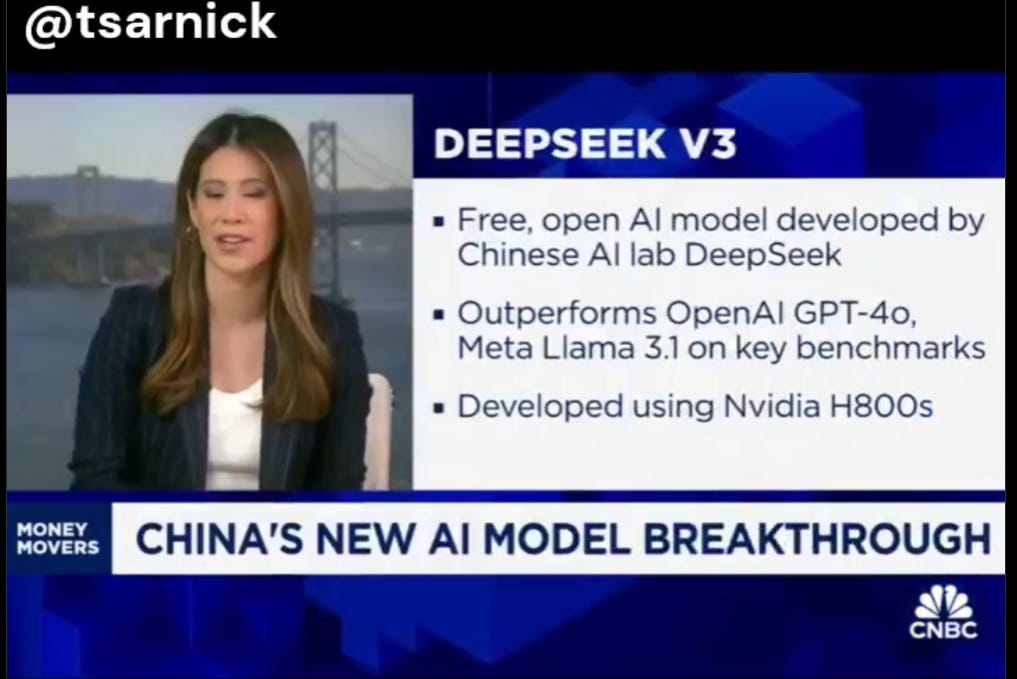
DeepSeek R1 is an open-source LLM for conversational AI, coding, and analytical that just recently outshined OpenAI’s flagship reasoning design, o1, on several standards.
You remain in the best location if you ‘d like to get this model running in your area.
How to run DeepSeek R1 utilizing Ollama
What is Ollama?
Ollama runs AI designs on your local machine. It simplifies the complexities of AI model deployment by offering:
Pre-packaged model support: It supports numerous popular AI models, consisting of DeepSeek R1.
Cross-platform compatibility: Works on macOS, Windows, and Linux.
Simplicity and performance: Minimal hassle, simple commands, and efficient resource use.
Why Ollama?
1. Easy Installation – Quick setup on numerous platforms.
2. Local Execution – Everything works on your machine, making sure full information privacy.
3. Effortless Model Switching – Pull different AI designs as needed.
Download and Install Ollama
Visit Ollama’s site for detailed setup directions, or install directly via Homebrew on macOS:
brew install ollama
For Windows and Linux, follow the platform-specific actions supplied on the Ollama site.
Fetch DeepSeek R1
Next, pull the DeepSeek R1 design onto your maker:
ollama pull deepseek-r1
By default, this downloads the main DeepSeek R1 model (which is big). If you’re interested in a specific distilled variation (e.g., 1.5 B, 7B, 14B), simply define its tag, like:
ollama pull deepseek-r1:1.5 b
Run Ollama serve
Do this in a different terminal tab or a new terminal window:
ollama serve
Start utilizing DeepSeek R1
Once installed, you can communicate with the design right from your terminal:
ollama run deepseek-r1
Or, to run the 1.5 B distilled model:
ollama run deepseek-r1:1.5 b
Or, to trigger the design:
ollama run deepseek-r1:1.5 b “What is the current news on Rust shows language trends?”
Here are a couple of example prompts to get you began:
Chat
What’s the newest news on Rust programs language trends?
Coding
How do I write a regular expression for email recognition?
Math
Simplify this equation: 3x ^ 2 + 5x – 2.
What is DeepSeek R1?
DeepSeek R1 is a modern AI design constructed for designers. It stands out at:
– Conversational AI – Natural, human-like discussion.
– Code Assistance – Generating and refining code snippets.
– Problem-Solving – Tackling math, algorithmic challenges, and beyond.
Why it matters
Running DeepSeek R1 in your area keeps your information personal, as no info is sent to external servers.
At the exact same time, you’ll delight in quicker actions and the liberty to incorporate this AI model into any workflow without stressing over external reliances.
For a more extensive look at the design, its origins and why it’s impressive, take a look at our explainer post on DeepSeek R1.
A note on distilled designs
DeepSeek’s team has actually shown that thinking patterns found out by big models can be distilled into smaller designs.
This process fine-tunes a smaller “trainee” design using outputs (or “thinking traces”) from the bigger “teacher” design, often resulting in much better efficiency than training a small model from scratch.
The DeepSeek-R1-Distill variants are smaller sized (1.5 B, 7B, 8B, and so on) and optimized for developers who:
– Want lighter compute requirements, so they can run models on less-powerful devices.
– Prefer faster responses, especially for real-time coding assistance.
– Don’t want to compromise excessive performance or reasoning ability.
suggestions
Command-line automation
Wrap your Ollama commands in shell scripts to automate recurring tasks. For instance, you could develop a script like:
Now you can fire off requests rapidly:
IDE combination and command line tools
Many IDEs allow you to configure external tools or run jobs.
You can set up an action that prompts DeepSeek R1 for code generation or refactoring, and inserts the returned snippet straight into your editor window.
Open source tools like mods supply outstanding interfaces to local and cloud-based LLMs.
FAQ
Q: Which variation of DeepSeek R1 should I choose?
A: If you have a powerful GPU or CPU and need top-tier performance, use the main DeepSeek R1 design. If you’re on restricted hardware or prefer much faster generation, select a distilled version (e.g., 1.5 B, 14B).
Q: Can I run DeepSeek R1 in a Docker container or on a remote server?

A: Yes. As long as Ollama can be installed, you can run DeepSeek R1 in Docker, on cloud VMs, or on-prem servers.
Q: Is it possible to fine-tune DeepSeek R1 further?
A: Yes. Both the main and distilled designs are licensed to allow modifications or derivative works. Make sure to check the license specifics for Qwen- and Llama-based variants.

Q: Do these models support business use?
A: Yes. DeepSeek R1 series models are MIT-licensed, and the Qwen-distilled versions are under Apache 2.0 from their initial base. For Llama-based variants, examine the Llama license details. All are fairly liberal, but read the exact wording to validate your planned usage.